A photo booth for bars, scoop shops and farms, in a wooden cabinet we make ourselves. This page is the whole build brief: the box, the parts, what it costs, and the one question we have not answered yet. It is here so the people helping us build it can see the same numbers we do.
Researched September 13, 2026. Costs are researched list prices and planning allowances, not quotes. No cabinet has been cut, no part has been bought, no shop has priced this.
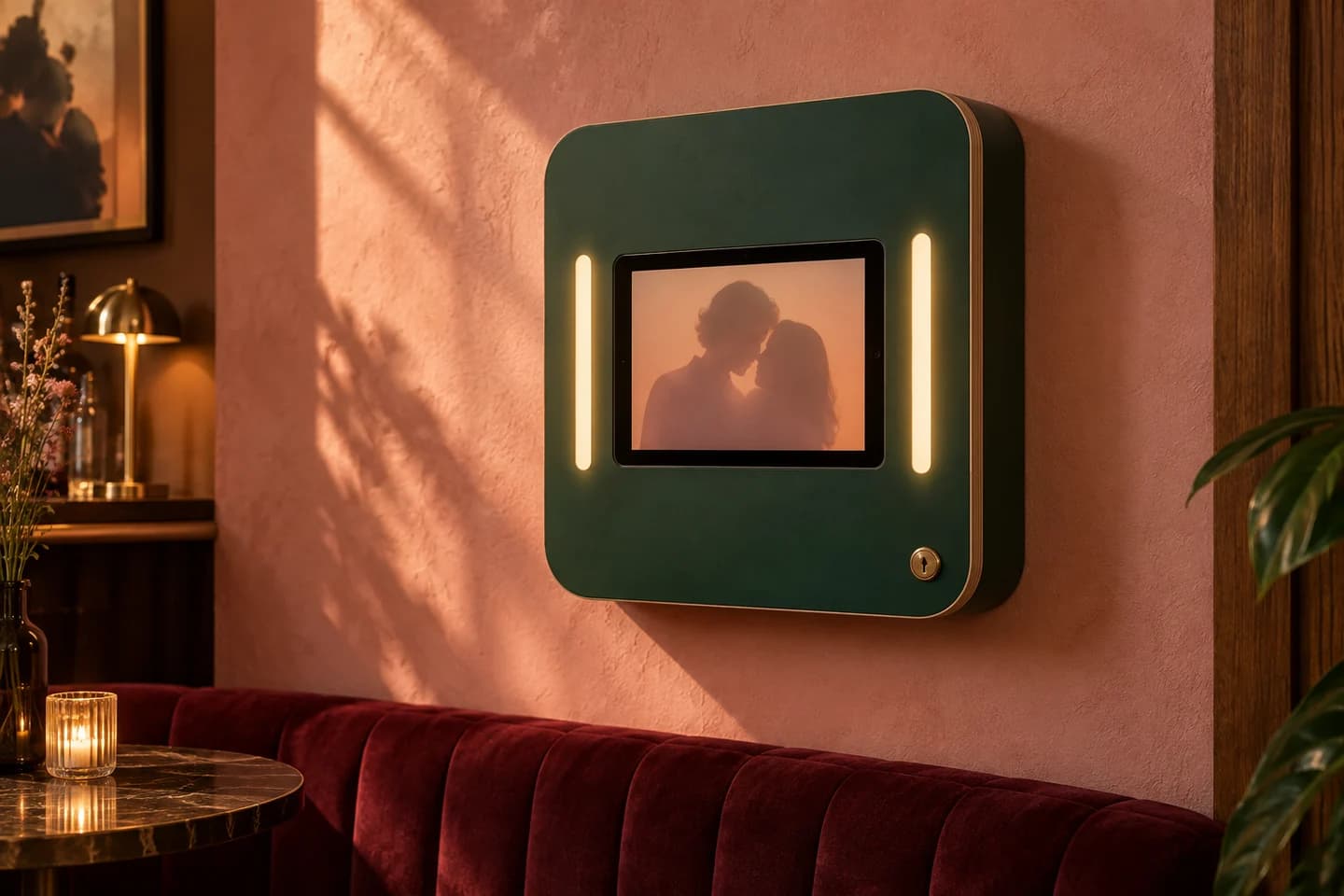
The wall booth, as drawnGenerated concept image · not manufactured inventory
What it is, and why it is worth building
A guest walks up, taps once, gets three seconds of countdown, and their photo is on their phone before they have put their drink down. There is no app, no account, and nothing to type on the booth.
The part that matters commercially is what the venue gets: a list of the guests who said yes to hearing from them, with the exact wording they agreed to stored beside each name, exportable from the first day. The booth software people rent today either does not export that list at all, or charges several times the price of the booth for it.
Deliberately not in it: no printer, no 360 platform, no robot arm, no AI face effects, no prop library. Every one of those is crowded, expensive to keep working, and not the reason anyone picks a venue. Paper jams, and a guest holding a print never gives you their email.
One ice cream shop we know puts five or six hundred photos a week through a booth that has been running since COVID. That is the volume this has to survive.
The cabinet
A wall-mounted plywood head, about the size of a large picture frame, that looks like it belongs in the room rather than like equipment. Three ways to make it, in rising order of machine time.
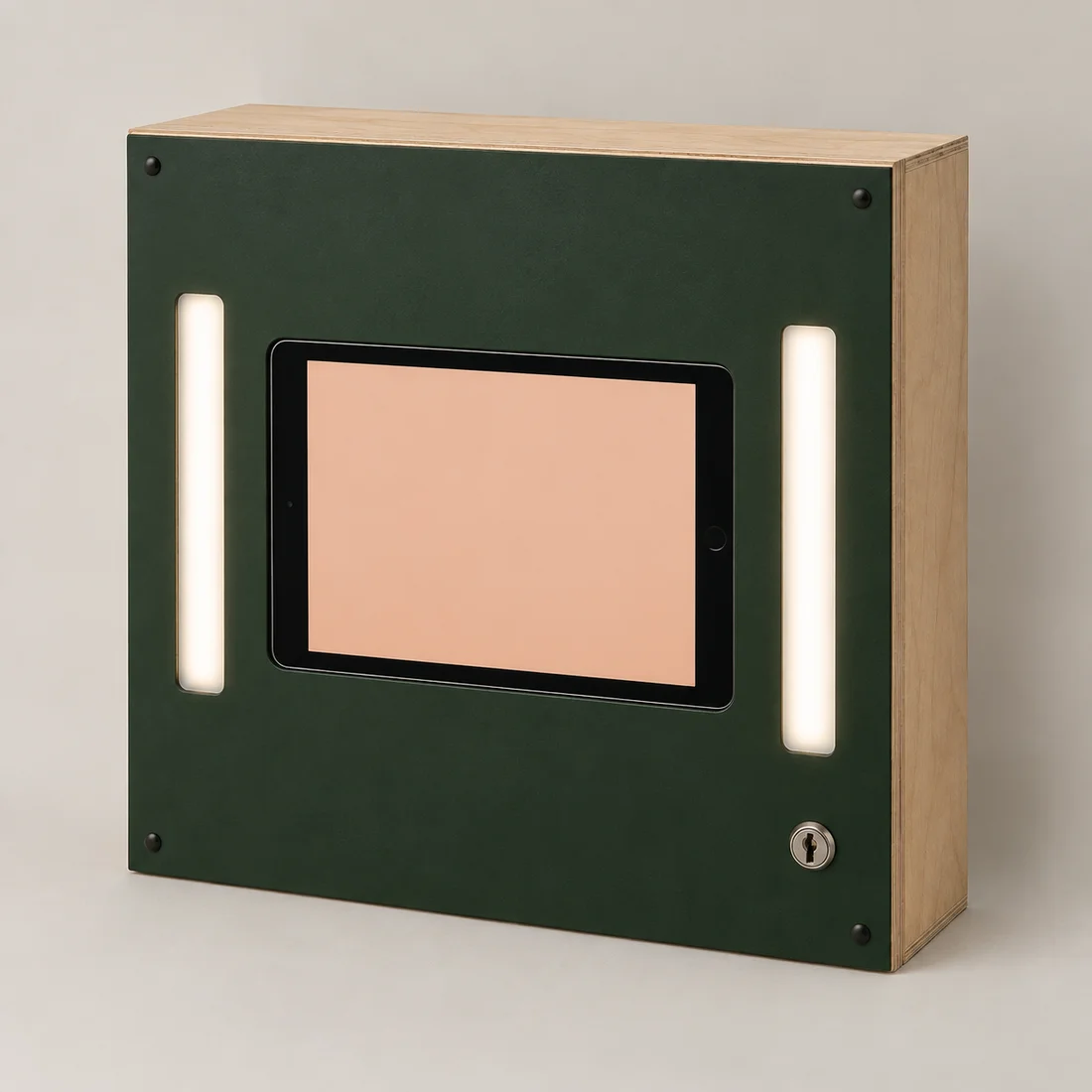
Boxfirst prototype
Six flat rectangular panels, internal cleats, glued and screwed carcass, removable locking face. Fewest machining operations of the three. This is the one to build first, unpainted, to prove retention, photo quality, charging and heat.
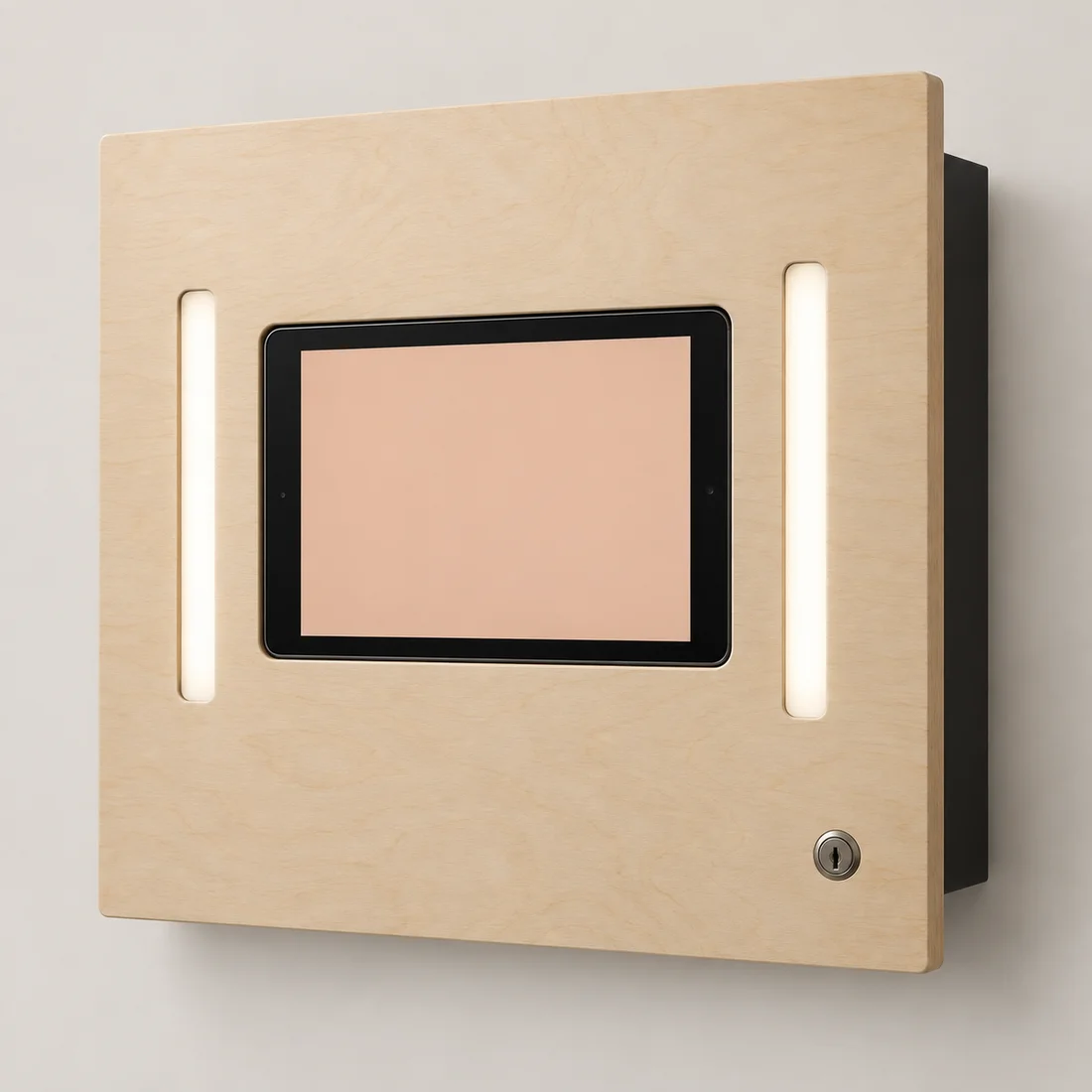
Frame
A small backing box behind an oversized flat face. Same basic assembly as the Box with more visible edge finishing, and the face overhang needs a flex test.
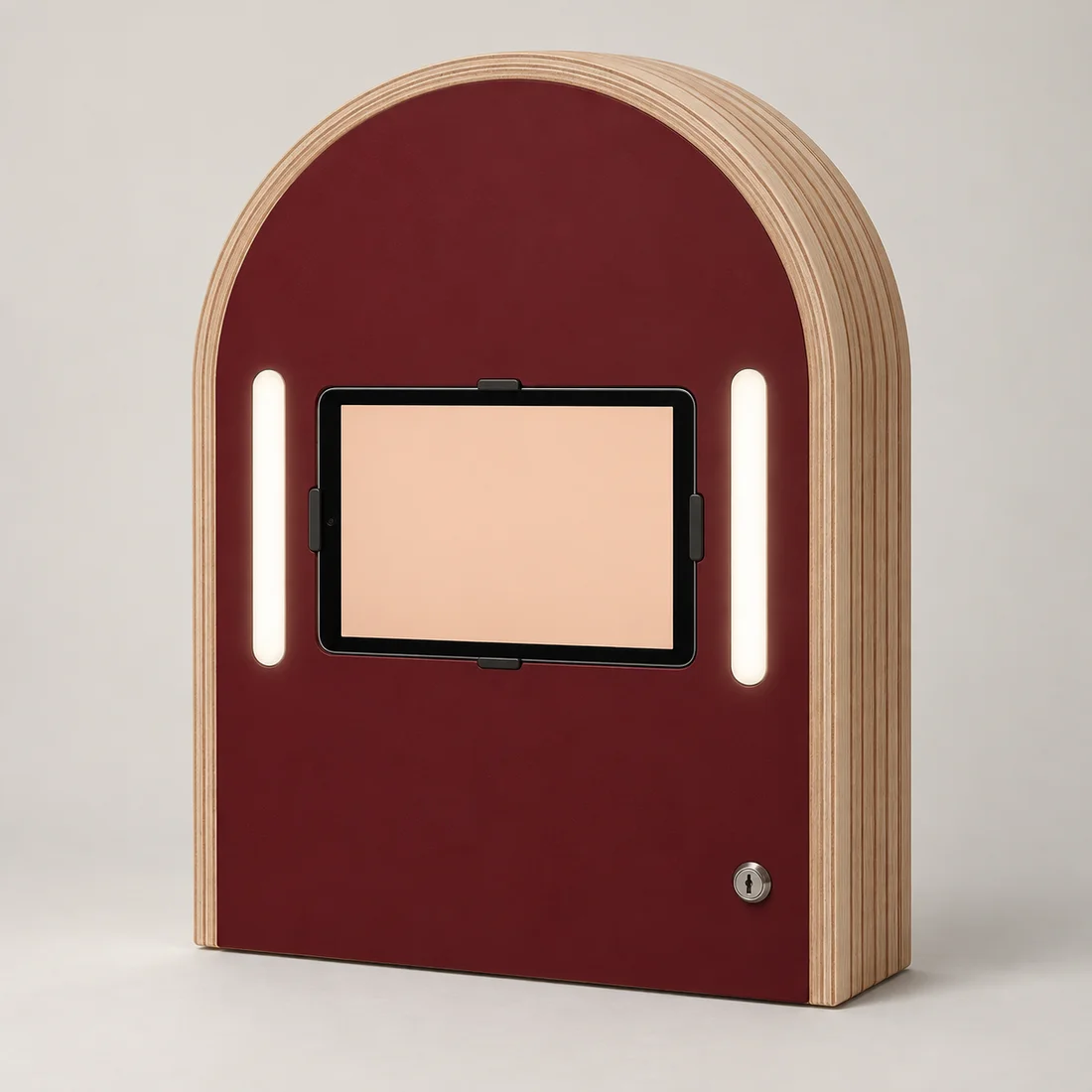
Stack
Repeated hollow CNC-cut plywood rings on dowels, glued and clamped, with a removable face. Gives curves without bending wood, at the cost of more sheet material, more machine time and a lot more sanding.
All three are generated concept visualisations rather than photographs of anything that exists. Proportions and the hardware you can see in them are illustrative and are not fabrication detail.
The panels, per unit
Outside envelope 450 × 500 × 110 mm in nominal 12 mm plywood. Six rectangles. The screen aperture, camera opening and light channels are deliberately not dimensioned yet, because we have not measured a real device — that is a second revision.
Panel
Qty
Dimensions
Note
Front and back
2
450 × 500 mm
Front becomes the removable locking face
Top and bottom
2
450 × 86 mm
Spans the carcass width
Left and right
2
476 × 86 mm
Fits between top and bottom
Carcass depth is 110 − 2t and side height is 500 − 2t at the actual measured thickness t. Nominal 12 mm plywood is routinely not 12 mm, so those two numbers get adjusted to the caliper of the sheet that is actually used.
The six panels total 0.61 m². A 4 × 8 sheet is 2.97 m², so at a realistic nesting yield that is three cabinets per sheet, four if the nest is good and we accept narrow offcuts.
What goes in it
Per cabinet, at quantity one. Almost every line falls with batch size — the LED reel alone covers about six booths.
Part
Qty 1
Qty 20
Basis
12 mm plywood, 3–4 cabinets per 4 × 8 sheet
$33
$25
verified $98.50 per sheet
Cleats, cradle, mounting reinforcement
$5
$5
allowance
High-CRI face lights, two 400 mm runs
$12
$10
allowance one 16 ft reel ≈ six booths
Aluminium channel and diffuser
$10
$8
allowance sold in 5-packs
24 V driver and inline dimmer
$32
$28
allowance two runs draw roughly 16 W
Lock, hinges, retainer, threaded inserts
$27
$20
allowance
Structural wall mount and steel backing plate
$30
$20
allowance not a rated mount yet
Device power, cables, grommets, vent hardware
$35
$25
allowance
Fan and guard, fitted only if the heat test says so
$22
$18
allowance 80 mm bay reserved
Paint, fasteners, pads
$24
$16
allowance
Cabinet materials, per unit
$230
$175
excludes the computer
Power: one plug, three low-voltage branches
Wall outlet
  └─ enclosed power strip, in a serviceable pod outside the device bay
       ├─ device charger ────────── 20–30 W
       ├─ matched LED supply ────── dimmer + two diffused face lights
       └─ USB supply ───────────── optional 5 V fan
Only low-voltage cable enters the wooden head, through strain-relieved openings. No DIY mains inlet, no spliced wire, no USB splitter treated as a power distributor. Enclosed certified components do not by themselves certify the finished kiosk.
iPad, or a computer we build ourselves
This is the open question, and it is genuinely open. Both paths run the same thing: an installed web app, locked to one app on the screen. There is no App Store in either answer. What changes is the box behind the glass.
Pi + camera module
Pi + USB webcam
New iPad A16
Mini PC + touch + webcam
Electronics
$215–250
$319–354
$449–469
$460–550
With the cabinet
$365–520
$469–624
$599–739
$610–820
What you buy
Pi 5, 10" touch display, Camera Module 3, PSU, cooler, storage
Same, with a 4K USB webcam instead of the module
One device: screen, touch, camera, battery
Small x86 box, 10" touch panel, 4K webcam
Integration work
Highest. Camera runs on CSI/libcamera and needs a capture service or a validated browser bridge
Moderate. A UVC webcam is a normal browser camera on Linux
Lowest. It already is the device
Moderate. Ordinary desktop Linux or Windows kiosk
Control
Ours. Boots straight into the app, no Apple ID, remote access, our own watchdog, and the lights can be driven from the board on the countdown
Supervised single-app mode is real lockdown, but the OS updates on Apple's schedule
Same as the Pi, with more headroom
If someone steals it
A bare panel and a small board. Low resale value, which is its own deterrent
The single most stealable object in the room — but Activation Lock makes a stolen one close to worthless, and Find My already exists
Low resale value
Power cut
Reboots. No internal battery
Keeps running on its own battery; the lights stop
Reboots
Network
Ethernet built in
Wi-Fi, or a powered adapter that shares the charging port
Ethernet built in
On picture quality, honestly
The booth shoots on whatever camera faces the guest, and on a tablet that is the front camera, not the good one on the back. Apple lists the A16 front camera's video at 1080p even though the sensor is 12 MP — and our app captures a frame from the live video, not a native still. So the megapixel number on any spec sheet is not the number we get.
That cuts both ways. It means a $129 webcam is a genuine contender rather than an obvious downgrade. It also means nobody has measured what any of these actually delivers, and sensor marketing does not settle skin tone, motion blur, group framing or a dark bar. The test is the same photo, same lights, same distance, on both, side by side.
The cheapest quality win is not a camera at all. It is the two diffused high-CRI face lights already in the cabinet budget. Light the faces properly and the sensor argument shrinks to something most guests will never see.
What the guest actually touches
Almost nothing, and this is why the screen matters less than you would expect. There are four controls in the entire flow — start, consent, keep or retake, done — and no typing at all, because the "send me this photo" step happens on the guest's own phone after they scan. Any capacitive panel handles that.
What tablet glass does buy is feel. A guest touches this once and forms an opinion of the venue in that second; a cheap panel reads as municipal. That is a real cost of the self-build path, and it is not one a spreadsheet will show you.
A single large physical button would also work for start and done, and would be more legible across a dark room than anything on screen. Worth prototyping on the self-build path.
Neither path has zero setup labour. A custom machine needs OS updates, kiosk auto-relaunch, camera-selection persistence, guest lockdown, protected offline storage, cooling and power-loss recovery. A tablet needs enrolment and lockdown testing. The honest recommendation is to keep the electronics bay removable, build one modest self-build prototype, benchmark it against a tablet we can borrow, and decide on real photographs and real reliability rather than on this table.
Bolting it down, and finding it if it goes
Wall plate
Structural anchors into a steel backing plate, captive electronics, concealed fasteners, locking anti-lift retention. A lift-off cleat and a decorative plywood face must never be the only thing holding it.
Counter dock
A through-bolted reinforced plate with backing under a fixed counter, head locked to the dock. Screws into thin countertop skin are not a fixing.
Floor anchor
Internal structural spine into a floor-anchored base plate, covered fasteners, enclosed cabling. A stand light enough to reposition is light enough to walk out with; temporary events need a tested ballasted base and supervision.
Trackers are recovery, not prevention, and they have a catch. An AirTag costs $29 and rides on nearby Apple devices rather than its own GPS — and Apple's unwanted-tracking alerts are designed to tell whoever is carrying it that it is there. A battery-backed cellular tracker can report after being unplugged, but that is a subscription per device, around $20 a month, and it needs indoor coverage to work at all. Structural anchoring comes first; a tag is what you add afterwards.
Who could make it here
This does not need a factory. It needs a panel saw for six rectangles and a machine for one accurate face, and both exist close to Old Town. Capability below is read from each shop's own public pages and describes only what they say they do; none of them has been contacted, and nothing on this page has been quoted by anyone.
Sears Trostel Fort Collins
A lumber and hardwood dealer whose custom shop advertises plywood sheet cutting and CNC pattern cutting and routing. Six rectangles and one accurate face is exactly the work it lists, which makes it the first place to take the panel drawing.
Devil in the Details Fab Front Range, including Fort Collins
Publishes CNC routing and machining in wood, MDF and plywood, for single parts, short runs and batch production. The second quote, so the setup charge has something to be compared against.
Maker's Bench Timnath
A community woodworking shop with memberships, hourly passes, classes, supervised shop time and one-on-one instruction on its equipment. Somewhere to build the first cabinet by hand and learn where the design fights the tools. It does not advertise CNC, so it is not a route to cut parts.
The order the work should happen in
Cut one unpainted Box and fit it to a real screen.
Run it in a real room for a full day: heat, charging, glare, the wifi, and who resets it.
Finish that one in the venue's colours once it has earned the paint.
Only then ask a shop to price five identical cabinets, and twenty after those five stand up.
Where it stands, 26 September 2026
True today
A venue signs itself up at keepbooth.com, sets up its booth from one link, and downloads its own guest list.
The software takes the photo, holds it when the wifi drops, and hands it over by QR code, in production.
Texts with a guest's photo go out through our own messaging rail in production, and emails are sent from it too.
The cabinet design, panel list and power layout exist on paper.
Plywood, lighting and device prices are researched from live vendor pages.
Not true yet
No cabinet has been cut. No prototype exists in the physical world.
No shop has quoted the panels, so the setup and machining numbers are guesses.
The booth has not yet run a night in a real venue.
Nobody has measured the picture quality, the heat, or how long a photo really takes to arrive on a busy night.
No venue is paying yet. Starter is free; Pro is $10/mo, sold from 30 September 2026.
What would help most
In order of how much it would move things along.
A price on six rectangles. Cabinet-grade 12 mm plywood, quantities one, five and twenty, with material, setup, machine time, drilling, sanding and finishing priced separately. Two quotes, not one — the setup charge is where shops differ most.
A device to borrow for a weekend. Any recent tablet. It settles the picture-quality question and the resolution measurement in an afternoon, and costs nothing.
A wall. One real venue, one real location, so the mounting, the lighting and the venue's wifi stop being assumptions.
Somebody who has run a booth on a busy night and can say what breaks, who resets it, and how often.
Everything on this page is a working document. If a number here looks wrong to you, it probably is, and we would rather hear it now than after twenty cabinets are cut.